Search for a "food scanner app" and you'll find two very different tools wearing the same name. The first kind scans the barcode on a packaged product and rates what's inside — apps like Yuka are built for this. The second kind points your phone's camera at fresh produce itself and assesses its condition — that's what a freshness scanner like PluckFresh does. Neither replaces the other, because they answer different questions: "Is this product a healthy choice?" versus "Is this particular piece of fruit any good?"
This guide explains how each kind works, what barcode scanners genuinely do well, why they go quiet in the produce aisle, and how the two fit together on a single grocery trip.
Two Kinds of "Food Scanner"
Both categories live in the same App Store searches and both involve pointing your phone at food, but under the hood they work in completely different ways:
- Barcode scanners read the barcode on a package, look the product up in a database, and score it based on its label information — ingredients, nutrition facts, additives. The scan is a lookup: the app is rating the product, not your specific box of it.
- Freshness scanners use the camera and computer vision to analyze the food itself — color, blemishes, texture. There's no database entry for "this exact avocado," so the app has to actually look at it. It's rating the individual item in front of you.
One is a nutrition-label translator. The other is a produce-picking assistant. Both are worth having.
Barcode Scanners: What They Do Well
Yuka is the best-known app in the barcode category, so it makes a good example. According to its App Store listing, Yuka lets you scan the barcodes of food and personal care products and instantly see their impact on your health. For food, each product is rated on three criteria: nutritional quality, the presence of additives, and whether the product is organic. When something scores poorly, the app recommends similar but healthier alternatives.
Yuka's own help center spells out the weighting: nutritional quality is 60% of the score (based on Nutri-Score factors like sugar, sodium, saturated fat, calories, protein, and fiber), additives are 30%, and an organic label earns a 10% bonus — producing a 0–100 score for each product. Yuka's site also emphasizes its independence: no brand or manufacturer can influence the scores, and brands can't pay to promote their products in the app.
That's genuinely useful. Nutrition labels are dense, additive names are unpronounceable, and comparing two granola bars ingredient-by-ingredient in the aisle is not how anyone wants to spend a Saturday. A barcode scanner turns all of that into a single at-a-glance answer and a suggested swap. Dietitians quoted in CBS Miami's coverage of Yuka do advise treating any such score as a general guide rather than a medical tool — sensible advice for every app in this space, freshness scanners included.
The Gap: Loose Produce Has No Label
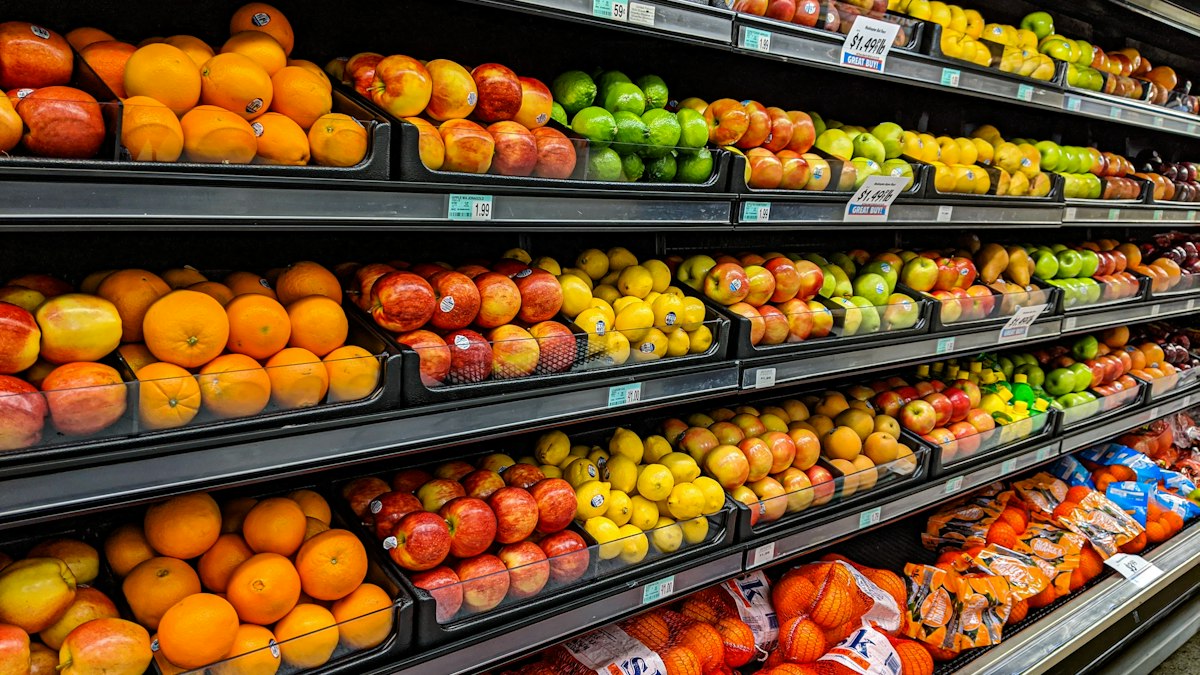
Now walk from the cereal aisle to the produce section, and the barcode model runs out of road. A loose apple has no barcode, no ingredient list, and no nutrition panel. The only machine-readable thing on it is that little sticker — a PLU code — and according to the International Federation for Produce Standards, which administers the system, PLU codes identify the commodity, variety, size, and growing method of an item. A 5-digit code starting with 9, for example, indicates organically grown produce.
Notice what's missing from that list: condition. The PLU sticker exists so the cashier charges you the right price for an organic Fuji versus a conventional one. It cannot tell you whether this avocado is ripe tonight or next Thursday, whether those strawberries will survive until the weekend, or which banana in the pile has the most life left. Every item in the bin carries the same code, while their actual freshness varies enormously.
The Core Difference
A barcode rating describes a product as designed — every box off the line gets the same score. Produce is the opposite problem: each individual item is at its own stage of ripeness and decline, and that can only be judged by looking at the item itself.
That's not a criticism — barcode apps were never designed for the produce section. It's simply a gap, and it sits over the part of the store where many of us make our least confident decisions.
How a Freshness Scanner Works
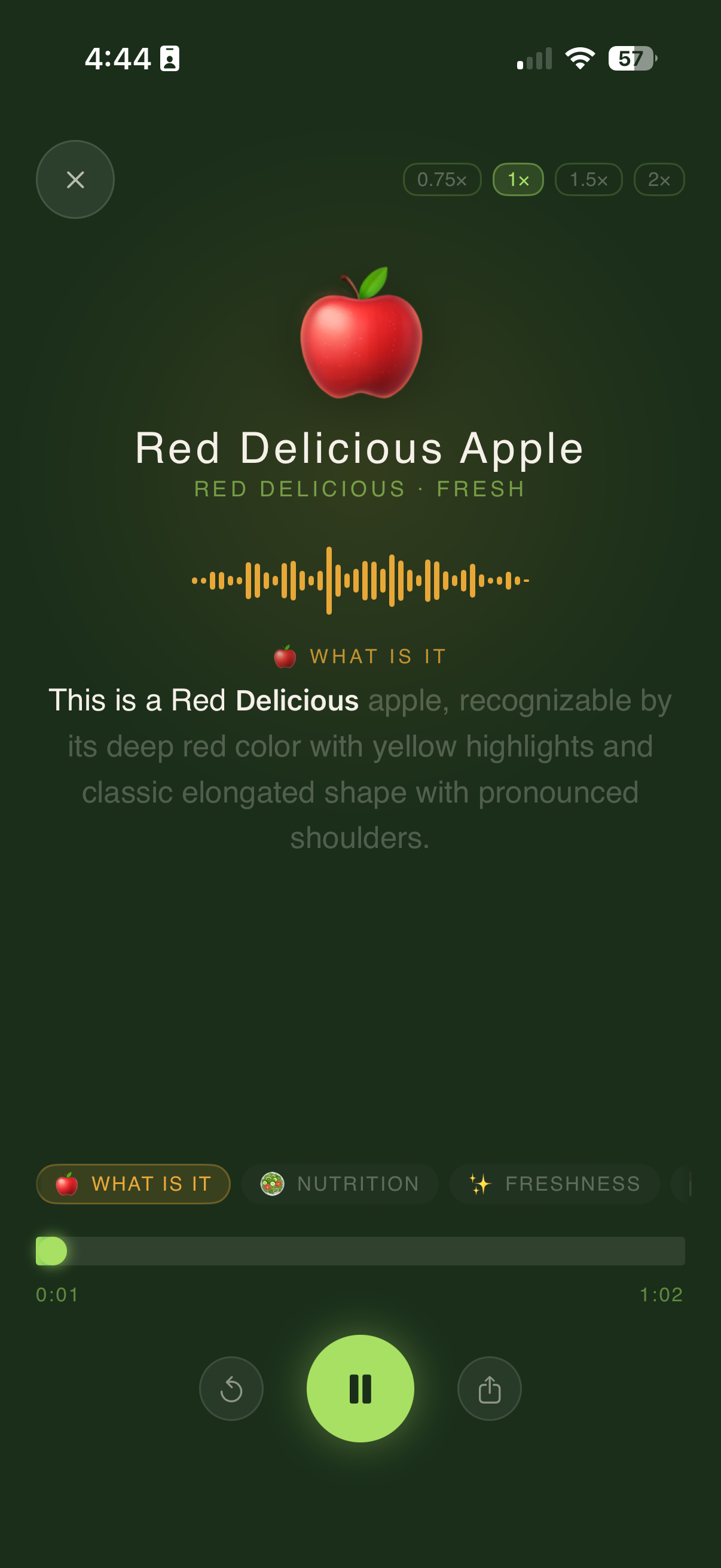
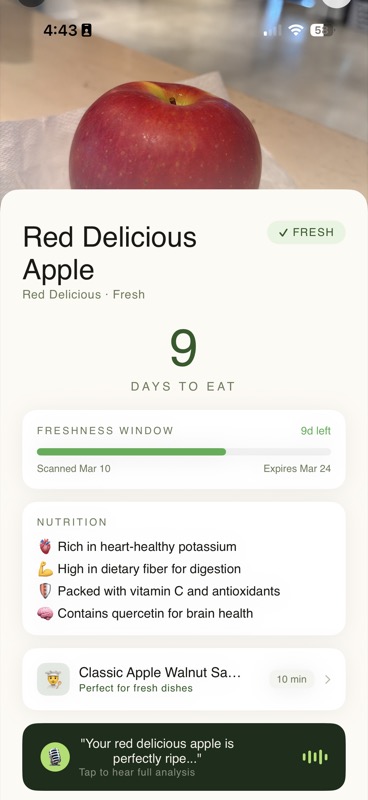
A freshness scanner fills that gap by treating the produce itself as the label. Instead of a database lookup, the app uses your phone's camera and computer vision: you point it at a piece of fruit or a vegetable, and an AI model analyzes the visual signals that experienced shoppers read intuitively — color distribution, the pattern and density of spots and blemishes, skin texture, and shape. We've written a full breakdown of how PluckFresh's AI evaluates produce freshness if you want the deeper technical story.
In PluckFresh, one scan gives you three things:
- A freshness assessment of the specific item you scanned — where it sits on its ripeness curve and what that means for eating it.
- Storage advice to get the most out of it — counter or fridge, near or far from other fruit, and how to slow (or speed up) ripening.
- Recipe ideas from NutriChef, PluckFresh's AI chef, matched to what you scanned — so a very ripe banana gets banana-bread suggestions, not fruit-salad ones.
The same scan works at home, too: midweek, when you're staring at the crisper drawer wondering whether those peppers are a stir-fry tonight or compost tomorrow, a rescan settles it. This kind of camera-first assistance is part of a broader shift in how AI is changing the way we shop for groceries — moving help from the label to the food itself.
Using Both Kinds of App on One Grocery Trip
Because the two categories answer different questions, the practical move isn't choosing between them — it's knowing which aisle each one belongs to:
- Center aisles (packaged foods): use a barcode scanner. Comparing crackers, yogurts, sauces, and snacks is exactly the database-lookup problem those apps solve well.
- Produce section: switch to a freshness scanner. The question is no longer "is this category of food healthy" — it's "which of these specific items should I put in my cart, and will it last until I plan to eat it?"
- At home during the week: the freshness scanner keeps working after checkout. Rescan what you bought to decide what to eat first, what to cook, and what to store differently.
PluckFresh Tip
Shopping for the week ahead? Scan produce before it goes in your cart and match ripeness to your meal plan: ready-to-eat items for the next day or two, firmer ones for the weekend. Buying everything at peak ripeness on Sunday is how Thursday's salad ends up in the bin.
Together, the two kinds of food scanner app cover the whole store: one helps you choose better products, the other helps you choose better items — and waste fewer of them.
FAQ: Food Scanner Apps
What is a food scanner app?
A food scanner app uses your phone to evaluate food before you buy or eat it. There are two main kinds: barcode scanners, which look up a packaged product in a database and rate its ingredients and nutrition, and freshness scanners, which use the camera and computer vision to assess the condition of fresh produce itself. They answer different questions and work well together.
What does the Yuka app do?
According to its App Store listing, Yuka lets you scan the barcodes of food and personal care products and see their impact on your health. Food products are rated on nutritional quality, the presence of additives, and whether the product is organic, and the app recommends healthier alternatives when a product scores poorly.
Can barcode scanner apps rate fresh fruits and vegetables?
Not in the way they rate packaged foods, because loose produce carries no barcode, ingredient list, or nutrition panel. The small PLU sticker identifies the commodity, variety, size, and growing method — such as whether it is organic — but says nothing about the condition of the individual item. Two avocados with identical stickers can be at completely different stages of ripeness.
How does a produce freshness scanner work?
Instead of looking up a database entry, a freshness scanner uses your phone's camera and computer vision to analyze the produce itself — color, spots and blemish patterns, skin texture, and shape. PluckFresh turns that analysis into a freshness assessment plus storage advice, and its NutriChef assistant can suggest recipes matched to the ripeness of what you scanned.
Do I need both a barcode scanner and a freshness scanner?
They complement each other rather than compete. A barcode app helps you compare packaged products in the center aisles, while a freshness scanner helps you pick the best individual items in the produce section and decide how to use them at home. Many shoppers use one of each on the same grocery trip.
The Scanner for the Aisle With No Barcodes
PluckFresh scans fresh produce with your camera — freshness assessment, storage advice, and NutriChef recipe ideas in seconds. Free for iOS.
Download PluckFresh